If you've chosen to use Stripe as your preferred payment processor in your Planning Pod account, you'll now have the option to pass credit card fees, purchase terminals for card-in-hand transactions, and collect or place authorized holds on customer's card for refundable deposits!
In this article, we will focus on knowing when to use Payment reminders or Deposit Requests and how to set them up! If you are interested in learn more about Stripe's other benefits, check out this article.
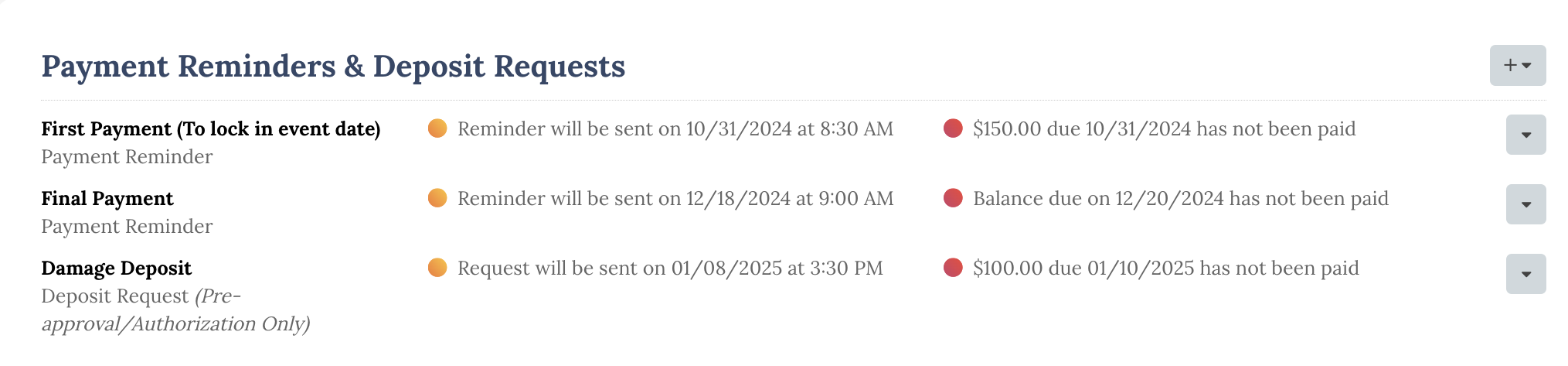
What Payment method do I choose?
As you set up your Invoice, you have the option to set up different requests! You'll want to make sure you've set this up accurately so the payment is tracked in the right spot and that your payment is received!
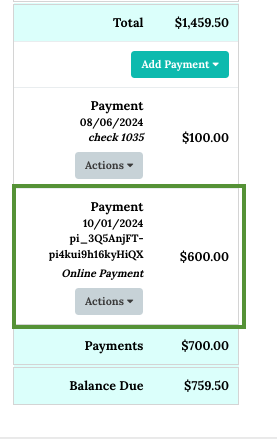
Payment Reminders - Use this type of reminder for any and all payments that go towards the invoice! This would include payments like" first payment to hold event date, payment schedules, and final payments.
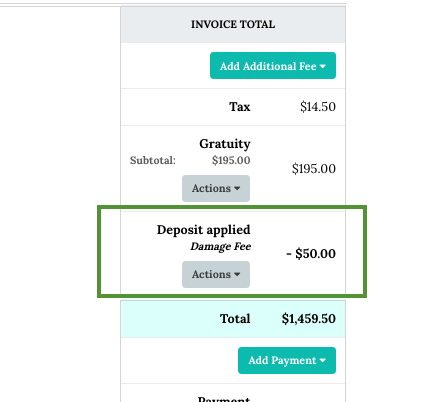
Deposit Requests - Use this type of reminder if you are looking to collect a refundable deposit for your event. This would include things like damage deposits, security fees, etc.
How to set this up:
Please check out this step by step walkthrough to guide you through the steps on setting up Payment Reminders and Refundable Deposits!
If you have any additional questions, please feel free to email support at: support@Planningpod.com. They will be able to help you with the tool or help guide you to Stripe support- depending on the situation as Planning Pod does not actually handle the money that comes into your account.
