<img height="1" width="1" style="display:none" src="https://www.facebook.com/tr?id=193843834399671&amp;ev=PageView&amp;noscript=1">

Invoicing and payments built into your event workflow

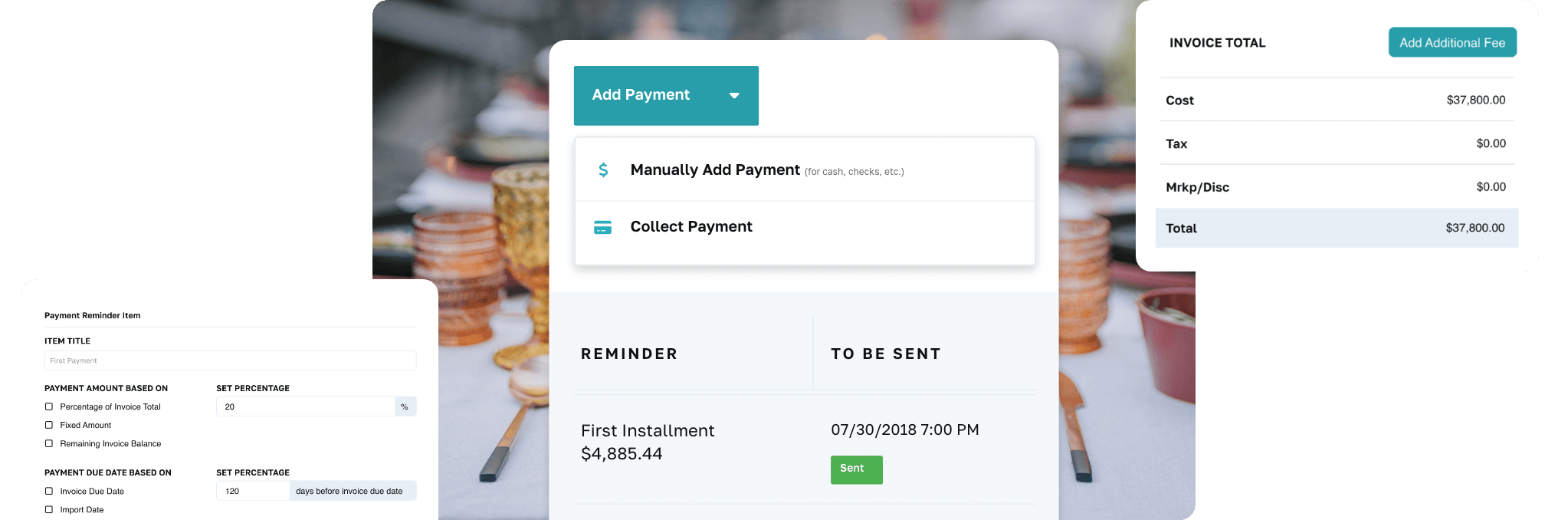
Send invoices and collect credit card and ACH payments without leaving your event record — with integrated payments running through a globally trusted payment processor. Clients view, pay, and track everything through their branded client portal, and card payments settle on a standard 2-business-day payout schedule.
Planning-Pod-Invoicing-Hero-Section

Streamline how you collect payments for invoices and event registrations

Planning-Pod-Run-A-Business-Behind-The-Scenes

Let clients pay through their portal

Clients view invoices, payment schedules, and receipts in their branded portal and pay by credit card, debit card, or ACH — no separate processor, no emailed payment links to lose. All major cards accepted (Visa, Mastercard, American Express, Discover), with card payouts in about 2 business days and ACH in about 5.

Easily create and track detailed event invoices

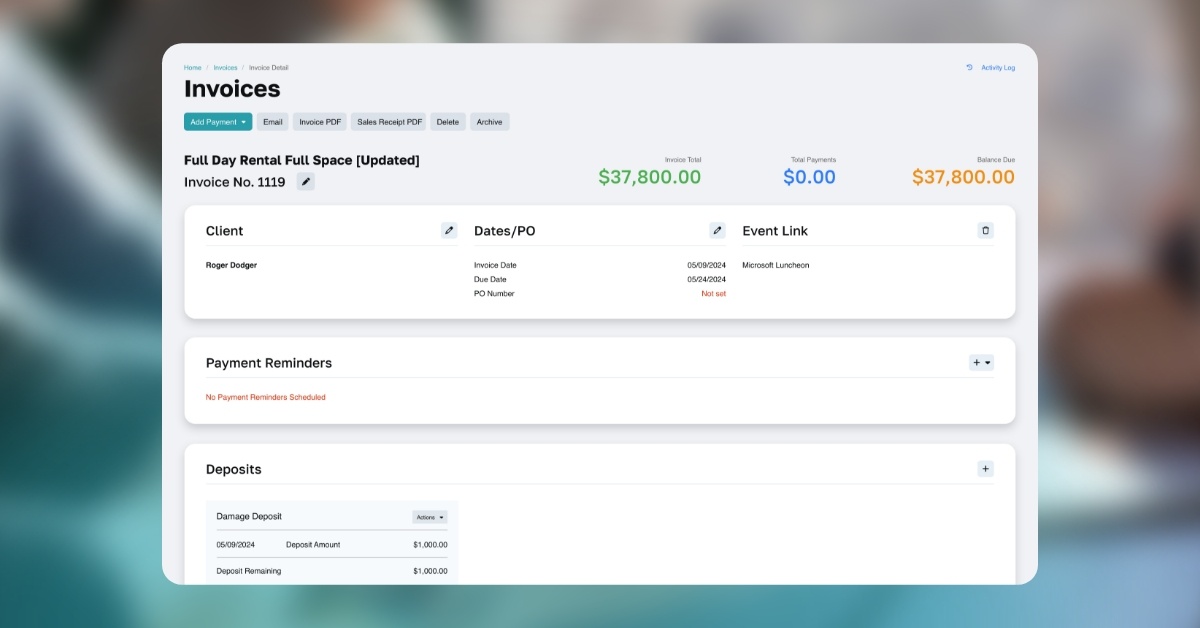
Build invoices with unlimited line items, tax rates, markups and discounts, packages, service fees, gratuities, and delivery fees. Create an invoice from a proposal in one click, reuse invoice and line-item templates, track offline payments (check, cash, external processors), and see due and past-due payments on dashboards and calendar notifications.
screenshot of event rentals
Set up installment schedules or auto-pay screen

Get paid faster with automated installments

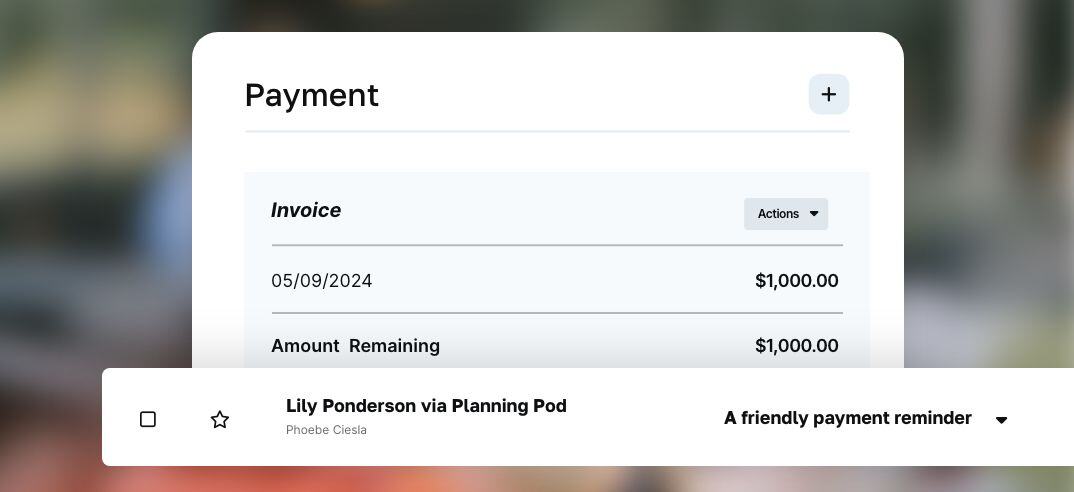
Set up payment reminder emails for every installment, schedule auto-payments that charge a client's preferred payment method on agreed dates, and securely store payment methods for future charges.* The gap between "contract signed" and "deposit received" closes on its own.

Benefit from competitive processing rates

Our integrated payments run through a globally trusted payment processor, with competitive rates for both credit card and ACH processing. Want to recapture card fees? Add a credit card surcharge to card payments (where laws permit).
Planning-Invoicing and Payments-Benefit-from-competitive@2x
Planning-Invoicing and Payments-No-add-on-fees@2x

No add-on fees for registration and ticket payments

If you charge for event registration or ticketing, your registrants sign up and pay online — and unlike other major registration providers like Eventbrite, we don't add service fees on top of payment processing. These tools also integrate with our event websites, embeddable registration forms, and check-in app for on-site point-of-sale payments.
*Planning Pod is Level 4 PCI compliant and all of our merchant account payment processors are Level 1 PCI compliant, so your customers’ credit card payment information and bank account details are always secure. In addition, our databases are fully encrypted for the safety of you and your clients.

See why over 70,000 event and hospitality professionals rely on our online event payment processing for their events

Footer Campaign Pages - Star Ratings@2x

"I personally LOVE the floorplan tool because it lets us create amazing, detailed layouts to scale and assign guests to seats."

- Tal Orion, Tal Orion Event Management

A closer look at Planning Pod's invoicing and payments system

How venues and event pros get paid faster and improve cash flow with our billing tools

Planning-Pod-icon-blue-financial-document

Globally Trusted Payment Processing

Integrated payments run through a globally trusted payment processor — credit card, debit card, and ACH — with card payouts on a standard 2-business-day schedule (ACH in about 5).
Planning-Checklist-File-Blue-NB-Icon

Reporting

Download comprehensive .csv reports on payments, revenues, open invoices, registrations, and taxes collected. Compatible with Excel and Google Sheets.
Planning-Envelope-Blue-NB-Icons

Client Portals + Emailing

Clients see invoices and payment schedules — and pay — inside their online portal. Send invoices and reminders by email directly from your account.
Planning-Globe-Blue-NB-Icon

Integrations

Connect hundreds of platforms (including QuickBooks) to your Planning Pod account via Zapier and stop double-entering data.
Planning-Pod-Credit-Card-Blue-Icon

Credit Card Fee Surcharges

Want clients to cover processing fees? Add a service-fee surcharge to credit card transactions (available where laws permit).
Planning-Dollar-Exchange-Blue-NB-Icon

Automated Payment Installments

Bill in installments with scheduled email reminders — or set up auto-payments that charge the client's saved payment method on agreed dates.
Planning-Pod-Icon-Blue-Invoices

Event Invoice Templates

Invoices often look alike. Build unlimited invoice and line-item templates and create the next one in seconds.
Planning-Pod-Icon-Blue-Money-Deposit

Manual Payments + Deposits

Accept checks or cash and log them against invoices. Manage security deposits inside invoices and credit them as payments if you choose.
Planning-Setup-Blue-NB-Icon

Detailed Line Items

Line items with quantities, hours, unit costs, and full descriptions — plus attached images when the details deserve color.
Planning-Folders-Blue-NB-Icon

Categories + Catering Packages

Organize line items into sections by category, pull catering packages straight into invoices, and apply quantities to F&B items.
Planning-Pod-Icon-Blue-Discounts

Taxes and Markups / Discounts

Add one or more sales tax rates to your account and assign them per line item, along with percentage markups or discounts.
Planning-Receipt-Blue-NB-Icon

Service and Gratuity Charges

Add service charges or gratuities (percentage or flat), plus delivery and setup fees — built for venues and caterers.
Planning-Pod-Icon-Blue-Branded

Branded Documents

Invoices and receipts carry your logo, brand color, and contact details — whether emailed or downloaded.
Planning-Pod-Icon-Blue-Upload

File and Image Attachments

Attach vendor invoices, receipts, or images directly to your event invoices for complete records.
Planning-Pod-Icon-Blue-Dashboards

Dashboards

An at-a-glance invoicing dashboard sorts by date range, balance due, payments made, or client name — so nothing slips.
Planning-Pod-Icon-Blue-Payments

Card-in-Hand Payments

Take a payment in person or over the phone with the point-of-sale portal inside each invoice.
Planning-Pod-Icon-Blue-Money-Check

Check Payments

Accept mailed-check payments for registration orders and track when checks arrive.
Planning-Pod-Credit-Card-Blue-Icon

No Service Fee Add-Ons

Most registration and ticketing platforms (Eventbrite, Bizzabo, Whova, RSVPify) add service fees on top of card processing. We don't — so you keep more of every ticket.
Planning-Globe-Blue-NB-Icon

Event Registration Websites

Build branded registration pages with tickets, pricing schedules, and discount codes — payments included.
Planning-Clipboard-Checklist-Blue-NB-Icon

Event Check-In App

Keep door lines short: check in ticketed attendees and sell tickets to walk-ups with our event point-of-sale portal.
Planning-Folders-Blue-NB-Icon

Stored Customer Payment Data

With an integrated merchant account, clients' saved payment methods are securely available whenever you need to run a payment.

Related Tools

Customers interested in event invoicing/payments also use these tools:

See how much faster "invoice sent" becomes "payment received"